
In our digital world, protecting personal information is more vital than ever. Whether you are managing banking portals, shopping sites, or social media profiles, maintaining online account security is the first line of defense against cyber threats.
Many people unknowingly leave themselves vulnerable by reusing the same login credentials across multiple platforms. If one site suffers a breach, hackers can easily gain access to your entire digital life. Learning how to secure your online accounts is a necessary step to prevent identity theft and financial loss.
Building a robust defense requires more than just strong passwords. It involves adopting a comprehensive plan that includes two-factor authentication, privacy settings, and constant vigilance against phishing attempts. By taking these proactive measures, you can enjoy the internet with peace of mind.
Key Takeaways
- Use unique, complex credentials for every service you use.
- Enable two-factor authentication to add an extra layer of protection.
- Review privacy settings regularly to limit data exposure.
- Stay alert for suspicious emails or messages designed to steal information.
- Prioritize the protection of your primary email and financial logins first.
How to secure your online accounts with stronger passwords
Protecting your personal data starts with the way you create your passwords. Many people rely on simple, predictable codes that are easy for hackers to guess or crack using automated software. By upgrading your approach to password security, you create a much tougher barrier against unauthorized access.
Create a unique passphrase for every important account
Use length, unpredictability, and memorable wording
The best defense is a long, complex passphrase that is difficult for machines to guess but easy for you to remember. Instead of using a single word, try combining four or five random words into a phrase. Adding numbers or special characters further increases the complexity of your login credentials.
Avoid reused passwords and easily guessed personal details
Never use the same login for multiple services. If one site suffers a data breach, hackers will immediately try those same credentials on other platforms. You should also avoid using:
- Birthdays or anniversaries
- Names of pets or family members
- Common dictionary words
- Sequences like “12345” or “qwerty”
Store login credentials safely with a password manager
Choose a reputable password manager and protect its master password
A password manager is an essential tool for keeping track of dozens of unique passwords. These applications encrypt your data and store it in a secure digital vault. You only need to remember one strong master password to unlock the entire collection.
Update passwords after breaches or suspicious activity
Even with the best strong passwords, you must stay vigilant. If you receive a notification about a potential data leak, change your credentials immediately. Regularly rotating your login information ensures that even if a breach occurs, your account remains protected by fresh, unique passwords. Using a reliable password manager makes this process quick and stress-free.
Turn on two-factor authentication and protect account access
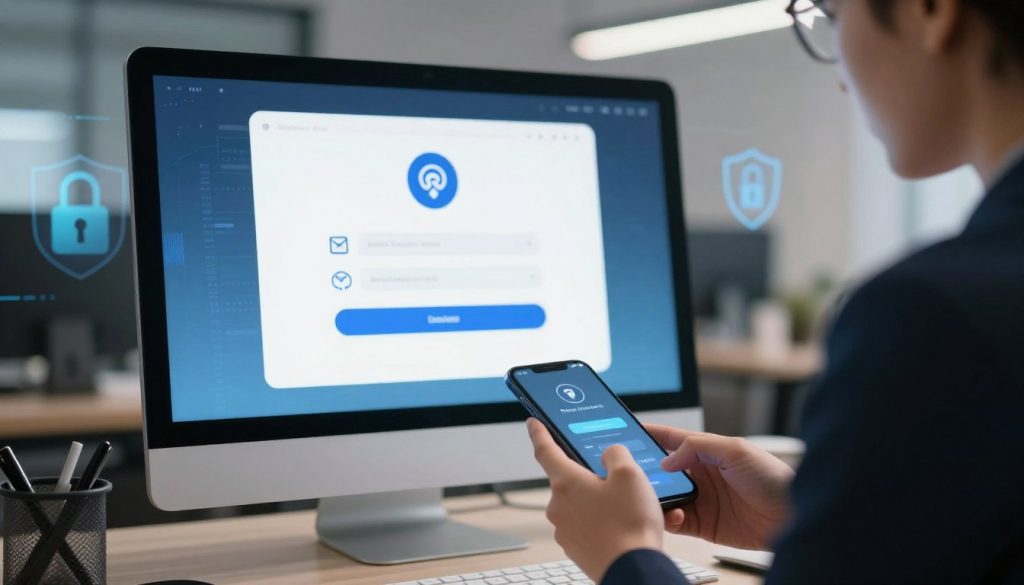
Even the strongest password can be compromised, which is why you need an extra gatekeeper for your accounts. By enabling two-factor authentication, you add a vital second layer of verification that stops hackers in their tracks. This simple step ensures that even if someone steals your password, they still cannot access your private data.
Enable two-factor authentication on email, banking, and social accounts
You should prioritize activating 2FA on any account that holds sensitive information. This includes your primary email, financial portals, and social media profiles. Most major platforms now offer this feature within their security settings menu.
Compare authenticator apps, security keys, and text messages
Not all verification methods offer the same level of protection. While text messages are convenient, they are vulnerable to interception. Using an authenticator app or a physical security key provides a much higher level of defense against modern cyber threats.
| Method | Security Level | Ease of Use |
|---|---|---|
| Security Key | Highest | Moderate |
| Authenticator App | High | High |
| SMS/Text Message | Low | Very High |
Save backup codes in a secure offline location
If you lose your phone or your security key, you might find yourself locked out of your own account. Most services provide a set of backup codes during the setup process. Always print these codes or write them down and store them in a physically secure location, such as a home safe.
Secure account recovery and login notifications
Maintaining accurate contact information is the backbone of effective account recovery. If you ever lose access to your credentials, these details serve as your primary way to prove your identity and regain entry.
Review recovery email addresses and phone numbers
Take a moment to audit your security settings at least once a year. Ensure that your recovery email address is current and that your phone number is still active. If you change your primary contact details, update them across all your important accounts immediately.
Recognize and respond to unfamiliar sign-in alerts
Most modern services will send login alerts whenever a new device attempts to access your account. If you receive a notification for a sign-in you did not initiate, treat it as a serious warning. Change your password immediately and review your recent activity to ensure your data remains protected.
Build smart privacy and device security habits
Your online safety depends heavily on the small, everyday choices you make regarding your devices and data. By adopting a proactive mindset, you can create a digital environment that is much harder for attackers to penetrate. Consistent attention to your privacy settings is the first step toward better personal data protection.

Limit the personal information shared online
Review social media audiences, location settings, and public profiles
Many platforms default to sharing your activity with the public. Take a moment to audit your profiles and restrict who can see your posts or personal details. Always disable location tracking for apps that do not strictly require it to function.
Control app permissions and delete services you no longer use
Reviewing your app permissions regularly helps prevent unauthorized access to your camera, microphone, or contacts. If you no longer use an application, delete it entirely to reduce your digital footprint. This simple habit is a cornerstone of effective personal data protection.
Protect phones, computers, and home networks
Install operating system and app updates promptly
Cybercriminals often exploit known vulnerabilities in older software versions. Installing software updates as soon as they become available ensures your devices have the latest security patches. These updates act as a vital shield against emerging threats.
Use screen locks, device encryption, and secure Wi-Fi settings
Always enable strong screen locks or biometric authentication on your mobile devices. Ensure your home network uses secure Wi-Fi protocols, such as WPA3, to keep your traffic private. Enabling full-disk encryption provides an extra layer of defense if your hardware is ever lost or stolen.
Spot phishing, scams, and unsafe links
Verify unexpected messages before clicking or sharing information
Phishing attempts often rely on urgency to trick you into clicking malicious links. If you receive an unexpected message, pause and verify the sender’s identity before taking action. Never share sensitive information through unverified text messages or emails.
Check website addresses and contact organizations through official channels
Always inspect the URL in your browser to ensure it matches the official site you intend to visit. If you are unsure about a request, contact the organization directly using a phone number from their official website. This practice is essential for maintaining high device security.
| Security Habit | Primary Benefit | Frequency |
|---|---|---|
| Reviewing Permissions | Limits data exposure | Monthly |
| Installing Updates | Patches vulnerabilities | Immediate |
| Auditing Wi-Fi | Prevents interception | Quarterly |
| Checking URLs | Blocks phishing | Every time |
Conclusion
Building a robust defense for your digital life requires a blend of smart habits and consistent vigilance. You now possess the tools to understand how to secure your online accounts against modern threats. By combining unique passwords with multifactor authentication, you create a significant barrier against unauthorized access.
Stay alert for phishing scams that mimic trusted brands like Google or Microsoft. These messages often create false urgency to trick you into clicking unsafe links. Always verify the source of an email or text before you provide sensitive information. Independent verification remains your best defense against a potential data breach.
Prioritize your email, banking, and social media profiles to maximize your online privacy. Once these high-value accounts are locked down, apply these same security measures to your other digital services. Small, steady improvements to your habits will keep your personal information safe in an evolving digital landscape.
Start your security journey today by updating one password or enabling a new authentication layer. Your proactive choices today prevent major headaches tomorrow. Share these tips with your family to help them stay safe while browsing the web.