Landing your dream job starts with how you present your experience. A clean, well-organized document is often the difference between getting an interview and being overlooked. This resume formatting guide offers practical tips to help you organize your skills and highlight your unique strengths effectively.
Choosing the right resume layout ensures that hiring managers find your key achievements in seconds. By selecting a clear resume format, you create a professional resume that feels both polished and approachable. Our goal is to help you build a document that captures attention through smart structure and careful presentation.
Key Takeaways
- Prioritize readability to help recruiters scan your details quickly.
- Use consistent fonts and spacing for a clean, modern look.
- Highlight your most relevant accomplishments at the top.
- Keep your design simple to ensure compatibility with tracking software.
- Focus on clarity to make your career story shine.
Set Up a Clean Resume Structure That Employers Can Scan
Employers often spend less than ten seconds scanning a resume, making your formatting choices critical. A professional resume structure acts as a roadmap, guiding the reader directly to your most relevant qualifications. By prioritizing clarity, you ensure that your career story remains easy to follow.
Choose the Right Resume Format for Your Experience
Selecting the correct layout depends on your specific career history and goals. Different formats highlight different strengths, so choose one that best showcases your professional journey.
Use Reverse-Chronological Formatting for a Traditional Career Path
The chronological resume is the gold standard for most job seekers in the United States. It lists your work history starting with your most recent position and moving backward. This format is perfect if you have a steady career progression in the same industry.
Consider a Combination Format for Career Changes or Mixed Experience
If you are pivoting to a new field, a combination resume might be your best option. This style blends a functional skills section with a brief work history. It allows you to emphasize transferable skills rather than just job titles, which is helpful for those with gaps or diverse backgrounds.
Organize the Essential Resume Sections
Once you pick a format, you must arrange your resume sections logically. A predictable layout helps recruiters find the information they need without frustration.
Place Contact Information and a Targeted Summary at the Top
Your contact details should be clear and include your name, phone number, email, and LinkedIn profile. Follow this with a targeted summary that highlights your value proposition. This brief paragraph acts as an elevator pitch to hook the reader immediately.
Arrange Experience, Education, Skills, and Optional Sections Strategically
After your summary, list your professional experience in detail. Follow this with your education and a dedicated skills section. You may also include optional areas like certifications, volunteer work, or languages if they are relevant to the role.
Make the Page Easy to Read at a Glance
Visual clutter can distract from your accomplishments. A clean, airy design makes your document look professional and inviting.
Set Practical Margins, Font Sizes, Line Spacing, and Section Gaps
Use standard one-inch margins to keep your text framed properly. Choose a professional font size between 10 and 12 points for body text, and ensure your line spacing is set to 1.15 or 1.5. Consistent gaps between sections will prevent the page from feeling cramped.
Use Consistent Alignment, Dates, Bullets, and Heading Styles
Consistency is the secret to a polished look. Use the following tips to maintain order:
- Align all text to the left for better readability.
- Use bullet points to break up long blocks of text.
- Keep date formats uniform throughout the document.
- Apply bold or larger font sizes to your headings to create a clear hierarchy.
Use This resume formatting guide to Highlight Your Strongest Qualifications
You can turn a standard document into a powerful career asset by focusing on your strongest qualifications. When you organize your information with intent, you make it much easier for hiring managers to see your potential. Strategic formatting is the secret weapon that helps your most impressive professional milestones shine through to recruiters.
Write a Focused Summary That Matches the Target Role
Lead With Relevant Experience, Strengths, and Measurable Results
A strong resume summary acts as your professional elevator pitch. Instead of listing every task you have ever performed, highlight the specific skills that solve the employer’s current problems. Focus on your most relevant achievements to grab attention within the first few seconds of review.
Replace Generic Career Objectives With Specific Value Statements
Avoid outdated objective statements that focus on what you want from the company. Replace them with a value statement that explains what you bring to the table. This shift demonstrates that you are a results-oriented professional ready to contribute immediately.
Turn Work History Into Evidence of Impact
Start Bullet Points With Strong Action Verbs
Your work history should read like a highlight reel of your career. Use resume action verbs like “spearheaded,” “optimized,” or “negotiated” to start each bullet point. These words convey energy and leadership, making your experience feel dynamic rather than static.
Add Numbers, Percentages, Timeframes, and Business Outcomes Where Possible
Quantifiable data provides the proof that recruiters crave. By including resume achievements backed by metrics, you turn routine duties into clear evidence of your impact. Use the table below to see how to transform basic tasks into high-impact statements.
| Original Task | Improved Achievement | Key Metric |
|---|---|---|
| Managed social media accounts. | Increased engagement by 40% through targeted content. | 40% Growth |
| Handled customer complaints. | Resolved 95% of issues within 24 hours. | 95% Efficiency |
| Helped with sales reports. | Automated reporting, saving 10 hours per week. | 10 Hours Saved |
Present Skills So They Support Your Experience
Separate Technical Skills, Tools, Certifications, and Transferable Skills
Organizing your skills into clear categories helps readers navigate your expertise quickly. Group your technical tools, professional certifications, and soft skills in a dedicated section. This structure ensures that your core competencies are never buried under long paragraphs of text.
Mirror Relevant Job Description Terms Naturally for Applicant Tracking Systems
To pass through digital filters, you must incorporate ATS resume keywords found in the job posting. Read the description carefully and identify the specific software, methodologies, or industry terms they prioritize. Integrate these ATS resume keywords naturally into your skills section and bullet points to ensure your profile ranks well without appearing forced.
Polish Your Resume Design Without Overcomplicating It
You do not need fancy graphics to make your resume stand out to recruiters. A clean resume design relies on clarity and structure rather than complex visual flair. By keeping your layout simple, you ensure that hiring managers focus entirely on your professional achievements.
Choose Professional Fonts, Colors, and Visual Elements
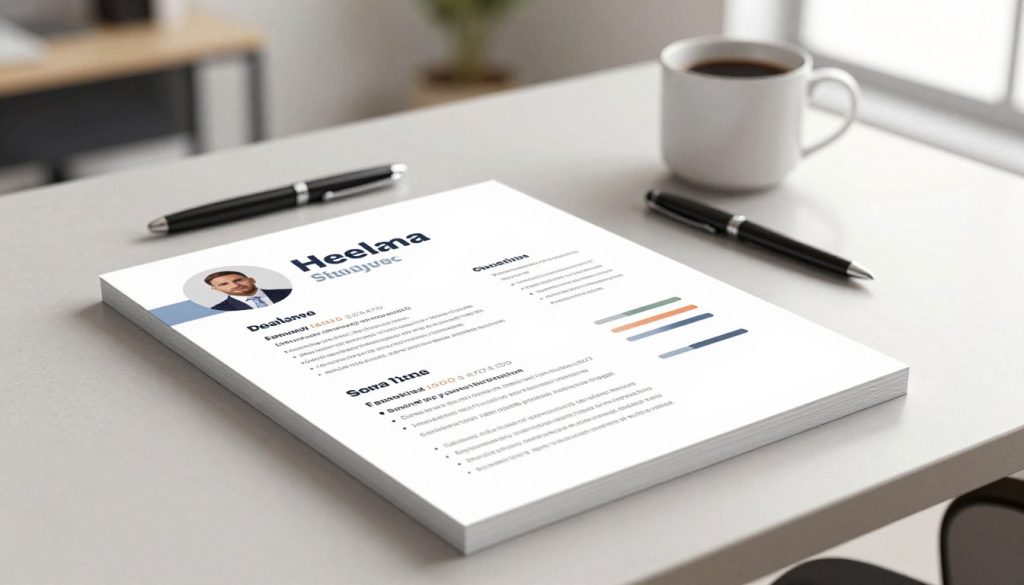
Selecting the right visual components is essential for readability. Proper resume fonts and balanced spacing help guide the reader’s eye naturally down the page.
Use Readable Fonts Such as Arial, Calibri, Georgia, or Helvetica
Stick to standard, sans-serif or serif fonts that are easy to read on any device. Avoid overly decorative scripts that might confuse automated scanning software. Consistency is key when choosing your typeface throughout the document.
Limit Color to Subtle Accents That Preserve Professionalism and Contrast
If you choose to use color, keep it minimal to maintain a professional look. Use dark blues or grays for headings rather than bright, distracting shades. High contrast between your text and the background is vital for accessibility.
Keep Formatting Consistent From Top to Bottom
Your document should look like a cohesive unit. Proper resume margins, typically set to one inch, provide enough white space to prevent the page from feeling cluttered.
Match Bullet Indentation, Verb Tense, Capitalization, and Punctuation
Check that every bullet point follows the same style. If you start one bullet with a past-tense verb, ensure all others follow suit. This attention to detail shows that you are organized and thorough.
Keep Section Headings and Job Titles Visually Distinct
Use bolding or slightly larger font sizes to separate your sections. This hierarchy helps recruiters find your contact information, work history, and skills quickly. A clear structure makes your experience much easier to digest.
Prepare a Resume That Works on Screen and on Paper
Your final document must be functional in every environment. Whether a recruiter prints your resume or views it on a tablet, the layout should remain intact.
Save the Final Version as a Searchable PDF Unless the Employer Requests Another Format
A searchable PDF resume is the gold standard for job applications. It preserves your formatting across different operating systems and ensures your text remains selectable for applicant tracking systems.
Check Page Breaks, Hyperlinks, File Name, and Accessibility Before Sending
Before you hit send, verify that your page breaks do not split a job description awkwardly. Ensure your email address or portfolio link is clickable and your file name is professional, such as “FirstName_LastName_Resume.pdf.”
| Element | Recommended Choice | Avoid |
|---|---|---|
| Font Style | Arial or Calibri | Decorative Scripts |
| Color Palette | Dark Grays or Navy | Neon or Bright Colors |
| File Format | Searchable PDF | Image-based Files |
| Margins | One Inch | Less than 0.5 Inches |
Conclusion
Your career journey deserves a document that reflects your true potential. Applying these resume formatting tips ensures your background shines during every stage of the hiring process.
Effective resume writing requires a balance of clear structure and impactful content. Prioritize resume readability to keep recruiters engaged from the first glance to the last line. A clean layout helps your achievements stand out in a crowded applicant pool.
Review your document one last time before you hit send. Check for consistent spacing and clear headings to create a standout resume that commands attention. You now possess the tools to build a professional profile that opens doors to new opportunities.
Take a moment to refine your draft today. Your next big career move starts with a polished, well-organized document that speaks for itself.