Digital safety starts with how you lock your online accounts. Many people use simple phrases that hackers guess in seconds, leaving their personal information at risk.
This strong password guide helps you create secure passwords that remain difficult for cybercriminals to crack. By following these simple actions, you can boost your password security and keep your private data safe.
You will learn how to build strong passwords that are easy to remember but impossible to steal. Taking these steps today is the best way to protect your digital identity from unwanted intruders.
Key Takeaways
- Use unique phrases for every login.
- Enable multi-factor authentication for extra protection.
- Avoid using personal details like birthdays or names.
- Use a manager to track your login credentials.
- Update your secret codes regularly to stay safe.
Strong Password Guide: What Makes a Password Secure
Building a robust defense for your accounts starts with mastering the fundamentals of password creation. True password strength is not just about using random symbols; it is about creating a barrier that is mathematically difficult for automated tools to break.
Use Long, Unique Passwords for Every Account
The most effective way to secure your digital life is to ensure that every service you use has its own distinct key. When you rely on unique passwords, you prevent a single data breach from compromising your entire online presence.
Choose at Least 16 Characters
Length is often more important than complexity when it comes to security. You should aim for long passwords that contain at least 16 characters to make them resistant to brute-force attacks.
Avoid Reusing Passwords Across Websites
Many users make the mistake of recycling the same credentials across multiple platforms. If a hacker gains access to one site, they will immediately test those same credentials on your email, banking, and social media accounts.
Recognize Weak Password Patterns Hackers Exploit
Cybercriminals often use sophisticated software to guess common combinations. Understanding these weak password patterns is essential for staying one step ahead of potential threats.
Skip Names, Birthdays, Addresses, and Common Words
Hackers frequently use dictionaries and personal information found on social media to guess your login. You should avoid using the following items in your credentials:
- Your full name or nicknames.
- Birth dates or anniversary years.
- Street addresses or zip codes.
- Common dictionary words like “password” or “qwerty.”
Avoid Predictable Substitutions and Repeated Characters
Many people try to trick systems by replacing letters with numbers, such as using “P@ssword.” Unfortunately, these predictable substitutions are well-known to hackers and offer very little protection.
Similarly, you should avoid using repeated characters or simple sequences like “123456.” Using truly random strings of characters remains the gold standard for maintaining high password strength.
How to Create a Strong Password You Can Remember
You can easily design a login credential that is both impossible to guess and simple to recall. By shifting your focus from random strings of characters to a memorable passphrase, you significantly improve your security posture without the need for sticky notes.
Build a Memorable Passphrase
Combine Several Unrelated Words
The most effective way to create a secure code is to string together four or more unrelated words. For example, choosing words like “Purple-Bicycle-Cloud-Coffee” creates a sequence that is difficult for automated hacking tools to crack. Unrelated words prevent attackers from using dictionary-based guessing techniques.
Add Meaningful but Private Details Without Revealing Personal Information
You can enhance your security by adding private details that only you understand. Avoid using obvious information like your birth date or pet’s name, which are easily found on social media. Instead, use a specific memory or a phrase from a favorite book that holds no public connection to your identity.
Strengthen Passwords With Varied Characters
Mix Uppercase Letters, Lowercase Letters, Numbers, and Symbols
Once you have your base phrase, add complexity by incorporating different character types. Replacing a letter with a symbol or adding a number at the end makes your code much harder to breach. This simple step turns a standard phrase into a robust defense against unauthorized access.
Prioritize Length Over Complicated Formatting
While symbols are helpful, password length is the most critical factor in security. A long, simple phrase is often much safer than a short, complex one that is difficult to type. Focus on creating a longer sequence to maximize your protection.
“The best password is one that is long enough to be uncrackable but simple enough to be remembered by the user.”
Use a Password Generator for Random Credentials
Generate Separate Passwords for Email, Banking, Shopping, and Social Media
For high-stakes accounts, it is best to use a password generator to create unique credentials. Using random passwords for every site ensures that a breach on one platform does not compromise your entire digital life. You should never reuse the same code across different services.
Save Random Passwords Safely Instead of Trying to Memorize Them
Trying to memorize dozens of complex codes is unrealistic and leads to poor security habits. Instead, use a secure digital vault to store your credentials. This allows you to maintain high security without the stress of manual recall.
| Strategy | Security Level | Ease of Use |
|---|---|---|
| Memorable Passphrase | High | Very Easy |
| Random Generator | Maximum | Moderate |
| Simple Dictionary Word | Very Low | Easy |
Protect Your Passwords With Better Account Security
Taking control of your online accounts starts with organizing how you store and verify your credentials. Relying on memory alone often leads to weak, reused codes that leave your data vulnerable to cyber threats.
Store Credentials in a Trusted Password Manager
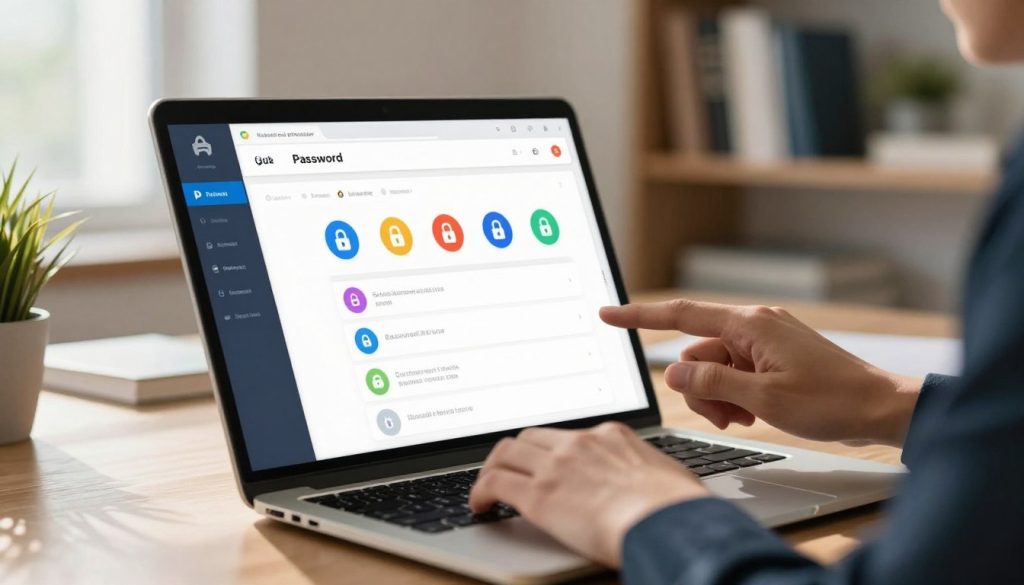
A password manager acts as a secure digital vault for all your login information. By using this software, you no longer need to memorize dozens of unique strings for every website you visit.
Create One Strong Master Password
The security of your entire vault depends on a single master password. You must make this specific code long, complex, and entirely unique to ensure that no one can guess it.
Turn On Password Manager Security Features
Most modern tools offer extra layers of protection beyond the master password. Always enable features like biometric unlocking or automatic logouts to keep your data safe if your device is ever lost or stolen.
Enable Multifactor Authentication
Adding multifactor authentication (MFA) provides a critical second barrier against unauthorized access. Even if a hacker discovers your login details, they cannot enter your account without the secondary verification step.
Choose an Authenticator App or Security Key When Available
Whenever possible, opt for an authenticator app or a physical security key instead of SMS codes. These methods are much harder for attackers to intercept or spoof compared to standard text messages.
Keep Backup Codes in a Secure Location
Most services provide recovery or backup codes when you set up MFA. Print these out or store them in a physical safe to ensure you can regain access if you lose your primary device.
Update Passwords After a Breach or Suspicious Login
Staying informed about your account status is vital for long-term safety. If you receive an alert about a potential compromise, you must act quickly to minimize any damage.
Check Breach Notifications and Account Activity
Regularly review the security logs provided by your email and social media platforms. If you notice an unrecognized login attempt, treat it as a serious warning sign that your credentials may be compromised.
Change Reused Passwords on Other Accounts Immediately
If one account is breached, hackers often try the same credentials on other popular websites. You should immediately update any reused passwords to prevent a single leak from turning into a widespread security failure.
Protect Passwords From Phishing and Unsafe Devices
Cybercriminals frequently use deceptive tactics to steal your information. Maintaining a healthy level of skepticism is your best defense against these malicious attempts.
Verify Login Pages Before Entering Credentials
Always check the URL in your browser address bar before typing your password manager data. Phishing sites often use subtle misspellings to trick you into revealing your sensitive information.
Never Share Passwords Through Email, Text Messages, or Social Media
Legitimate companies will never ask you to send your login details through insecure channels. Keep your credentials private and avoid sharing them, even with people you trust, to maintain the highest level of security.
| Security Method | Primary Benefit | Ease of Use |
|---|---|---|
| Password Manager | Centralized Encryption | High |
| Authenticator App | Prevents Remote Hacking | Medium |
| Security Key | Hardware-Level Protection | High |
| Backup Codes | Account Recovery | Low |
Conclusion
Building a robust defense for your online life starts with small, consistent changes to your habits. Using long, unique passwords for every account stops hackers from gaining access to your personal information across multiple platforms.
You should prioritize strong phishing protection to keep your credentials away from malicious actors. If you receive a suspicious link, avoid clicking it to maintain your account integrity. Tools like a physical security key provide an extra layer of defense that standard passwords cannot match.
Always keep your backup codes in a safe, offline location. These codes serve as a vital lifeline if you lose access to your primary authentication method. You must act fast if you suspect a data breach has occurred by changing your login details immediately.
Your digital safety depends on these proactive steps. Start updating your security settings today to enjoy a safer experience on the web. Share these tips with your friends to help them stay protected against modern cyber threats.